What is MediTracker Dental?
MediTracker Dental is a comprehensive electronic medical records (EMR) and patient management system designed specifically for dental clinics. It aims to streamline clinic workflow, enhance patient care, and improve overall operational efficiency. With its robust features and intuitive interface, MediTracker Dental has become a preferred choice among dental professionals worldwide.
Main Features and Benefits
MediTracker Dental offers a wide range of features that cater to the unique needs of dental clinics. Some of its key features include:
- Patient scheduling and appointment management
- Electronic medical records (EMRs) with secure storage and easy access
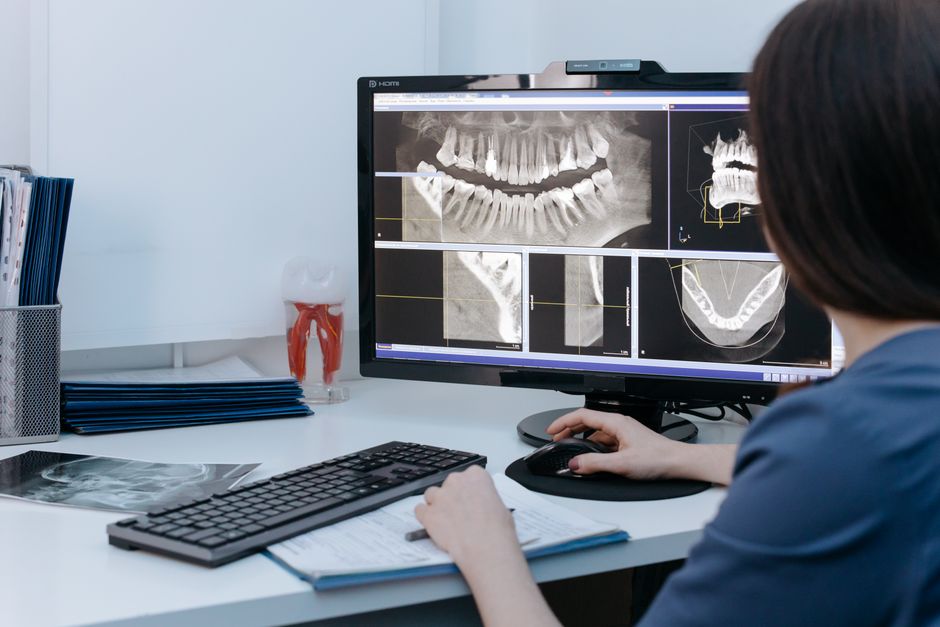
- Digital imaging and X-ray management
- Automated reminders and notifications
- Insurance claims management and billing
Installation Guide
System Requirements
Before installing MediTracker Dental, ensure that your system meets the following requirements:
| Component | Requirement |
|---|---|
| Operating System | Windows 10 or later |
| Processor | Intel Core i3 or equivalent |
| Memory | 8 GB RAM or more |
| Storage | 256 GB hard disk space or more |
Step-by-Step Installation
Follow these steps to install MediTracker Dental:
- Download the installation package from the official website.
- Run the installer and follow the on-screen instructions.
- Accept the terms and conditions and choose the installation location.
- Wait for the installation to complete.
- Launch MediTracker Dental and follow the setup wizard to configure the system.
Clinic Workflow with Snapshots and Restore Points
Understanding Snapshots and Restore Points
MediTracker Dental’s snapshot and restore point feature allows you to create a backup of your clinic’s data at regular intervals. This ensures that your data is safe and can be easily recovered in case of any unforeseen events.
Configuring Snapshots and Restore Points
To configure snapshots and restore points in MediTracker Dental, follow these steps:
- Go to the System Settings module.
- Click on the Backup and Restore tab.
- Choose the frequency and timing of snapshots.
- Specify the location for storing backup files.
- Set up restore points to ensure easy recovery of data.
Comparing MediTracker Dental with Alternatives
Key Differences
While there are several EMR and patient management systems available, MediTracker Dental stands out from the competition due to its:
- User-friendly interface and intuitive navigation
- Comprehensive feature set tailored to dental clinics
- Robust security measures to ensure data safety
- Regular updates and excellent customer support
Pros and Cons
Advantages
MediTracker Dental offers several benefits, including:
- Improved clinic workflow and operational efficiency
- Enhanced patient care and satisfaction
- Reduced administrative burden and costs
- Scalability and flexibility to accommodate growing clinics
Limitations
While MediTracker Dental is a powerful system, it has some limitations, including:
- Steep learning curve for new users
- Higher cost compared to some alternatives
- Dependence on internet connectivity for cloud-based storage
FAQ
Frequently Asked Questions
Here are some frequently asked questions about MediTracker Dental:
- Is MediTracker Dental compatible with my existing hardware? Yes, MediTracker Dental is compatible with most modern hardware and operating systems.
- Can I download MediTracker Dental for free? Yes, you can download a free trial version of MediTracker Dental from the official website.
- How do I get started with MediTracker Dental? Simply download and install the software, and follow the setup wizard to configure the system.