What is Exocad Viewer Free?
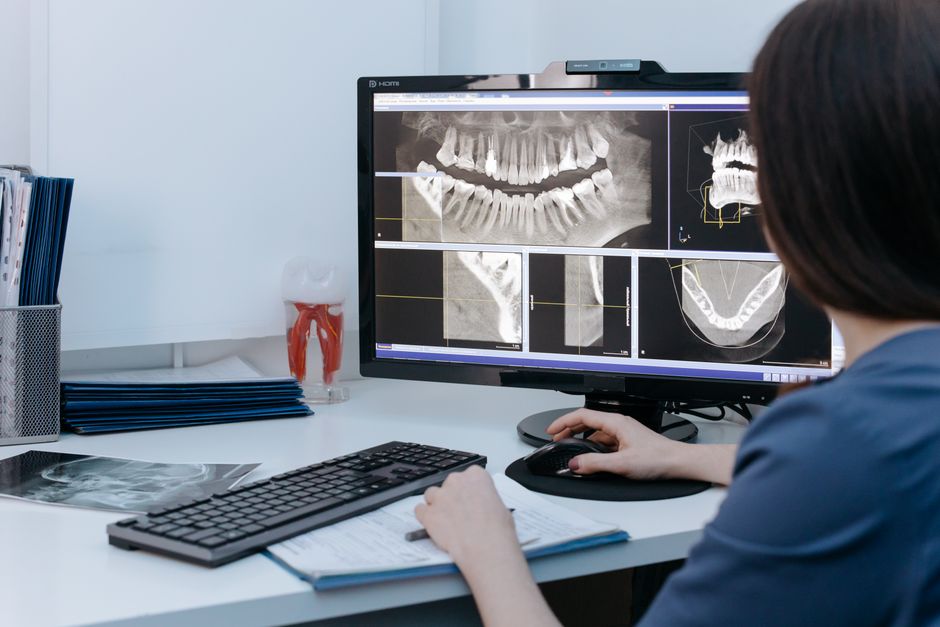
Exocad Viewer Free is a powerful tool designed to enhance the functionality of dental clinics and laboratories. It is a part of the Exocad software suite, which is renowned for its capabilities in dental CAD design and manufacturing. The Exocad Viewer Free is specifically tailored to provide users with a comprehensive platform to view, analyze, and manage dental CAD files without the need for extensive training or expertise.
Main Features and Capabilities
The Exocad Viewer Free boasts an array of features that make it an indispensable tool for dental professionals. Some of its key capabilities include the ability to view and analyze CAD files in detail, measure distances and angles, and section models for a more precise examination. Additionally, it allows for the export of screenshots and models in various formats, facilitating collaboration and communication between dental technicians, clinicians, and patients.
Installation Guide
System Requirements
Before proceeding with the installation of Exocad Viewer Free, it is essential to ensure that your system meets the minimum requirements. These include a 64-bit operating system (Windows 10 or later), a multi-core processor, at least 8 GB of RAM, and a dedicated graphics card. Meeting these requirements ensures a smooth and efficient installation process.
Step-by-Step Installation
The installation process of Exocad Viewer Free is straightforward and user-friendly. Begin by downloading the installation package from the official Exocad website. Once downloaded, run the installer and follow the prompts. You will be required to accept the terms of the license agreement and choose the installation location. The installation process typically takes a few minutes, after which you can launch the Exocad Viewer Free and start exploring its features.
Technical Specifications
Software Compatibility
Exocad Viewer Free is designed to work seamlessly with a wide range of CAD file formats, including those generated by Exocad DentalCAD, as well as other common formats such as STL and OBJ. This compatibility ensures that users can work with files from various sources without encountering compatibility issues.
Hardware Requirements
In addition to the system requirements mentioned earlier, the performance of Exocad Viewer Free can be significantly enhanced with more powerful hardware. A high-performance graphics card, in particular, can improve the rendering and manipulation of complex CAD models.
Pros and Cons
Advantages
- Free to use, making it an excellent choice for clinics and laboratories on a budget.
- Powerful CAD file viewing and analysis capabilities.
- User-friendly interface that does not require extensive training.
Disadvantages
- Limited to viewing and analyzing CAD files, without the capability to edit or create new designs.
- May require more powerful hardware for optimal performance with complex models.
FAQ
Frequently Asked Questions
Q: Is Exocad Viewer Free suitable for commercial use?
Yes, Exocad Viewer Free is free to use for both personal and commercial purposes, making it an excellent choice for dental clinics and laboratories.
Q: Can I use Exocad Viewer Free to create new CAD designs?
No, Exocad Viewer Free is designed for viewing and analyzing existing CAD files. For creating new designs, you would need to use a full version of Exocad DentalCAD or another CAD design software.