What is OrthoStudio Free?
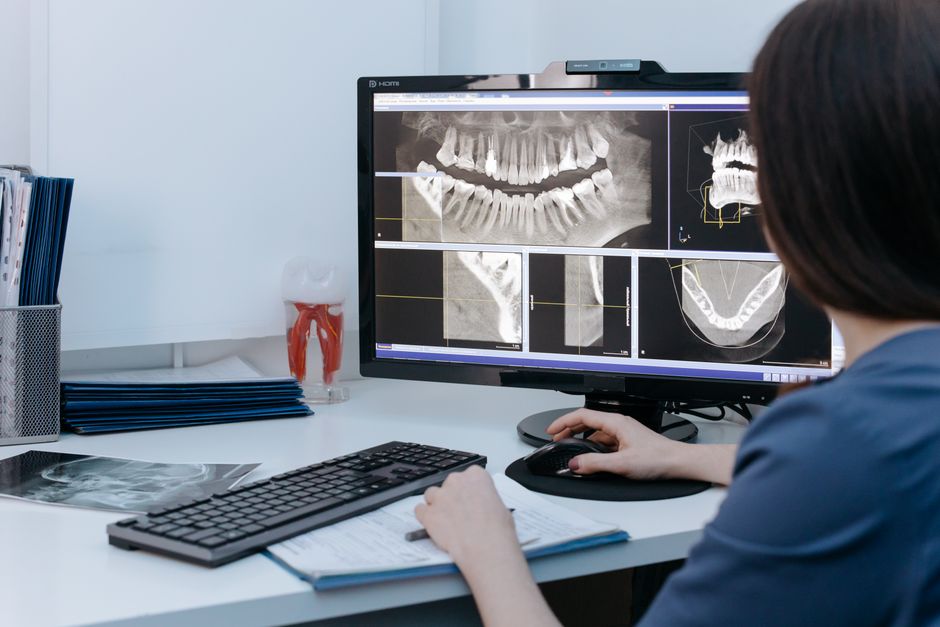
OrthoStudio Free is a comprehensive software solution designed for dental clinics, specializing in 3D visualization, implantology, and surgery. Developed by Dents-soft, this program aims to streamline dental workflows, enhance patient care, and facilitate communication between dental professionals. With a user-friendly interface and robust features, OrthoStudio Free has become a preferred choice among dental practitioners seeking to integrate advanced technology into their practice.
Main Features of OrthoStudio Free
At its core, OrthoStudio Free offers a range of functionalities that cater to the diverse needs of dental clinics. Some of its main features include:
- Advanced 3D visualization tools for precise diagnosis and treatment planning.
- Comprehensive implantology planning, including virtual implant placement and simulation.
- Surgical guides and templates for accurate and minimally invasive procedures.
- Integration with various imaging formats, ensuring compatibility with existing systems.
Installation Guide for OrthoStudio Free
Installing OrthoStudio Free is a straightforward process that requires minimal technical expertise. Here’s a step-by-step guide to get you started:
System Requirements
Before proceeding with the installation, ensure your system meets the following requirements:
- Operating System: Windows 10 or later (64-bit).
- Processor: Intel Core i5 or AMD equivalent.
- Memory: 8 GB RAM or more.
- Storage: 256 GB available space.
Download and Installation
Follow these steps to download and install OrthoStudio Free:
- Visit the Dents-soft website and navigate to the OrthoStudio Free download page.
- Click on the ‘Download Now’ button to initiate the download process.
- Once the download is complete, run the installer and follow the on-screen instructions.
- Accept the terms and conditions, choose the installation location, and select any additional components you wish to install.
- Click ‘Finish’ to complete the installation.
Technical Specifications of OrthoStudio Free
Understanding the technical specifications of OrthoStudio Free can help you optimize its performance and ensure seamless integration with your existing systems. Here are some key technical details:
File Formats and Compatibility
OrthoStudio Free supports a wide range of file formats, including:
- DICOM (Digital Imaging and Communications in Medicine).
- STL (STereoLithography).
- OBJ (Object File Format).
Security and Data Protection
OrthoStudio Free prioritizes data security and protection, featuring:
- End-to-end encryption for secure data transmission.
- Regular backups and restore points for data recovery.
- Compliance with major dental industry standards and regulations.
Pros and Cons of Using OrthoStudio Free
As with any software solution, OrthoStudio Free has its advantages and disadvantages. Here’s a balanced view of its pros and cons:
Pros
Some of the benefits of using OrthoStudio Free include:
- Advanced 3D visualization capabilities for improved diagnosis and treatment planning.
- Streamlined workflows and enhanced patient care.
- Cost-effective solution for dental clinics.
Cons
Some potential drawbacks of OrthoStudio Free are:
- Steep learning curve for beginners.
- Limited customization options for certain features.
FAQs about OrthoStudio Free
Here are some frequently asked questions about OrthoStudio Free:
Is OrthoStudio Free compatible with my existing systems?
Yes, OrthoStudio Free is designed to be compatible with a wide range of systems and file formats.
Can I import files from other software into OrthoStudio Free?
Yes, OrthoStudio Free supports the import of various file formats, including DICOM, STL, and OBJ.
How do I set up an offline repository for resilient backups?
Refer to the OrthoStudio Free user manual or contact Dents-soft support for guidance on setting up an offline repository.
Conclusion
OrthoStudio Free is a powerful software solution that can enhance your dental practice’s efficiency, accuracy, and patient care. With its advanced 3D visualization capabilities, comprehensive implantology planning, and robust security features, OrthoStudio Free is an ideal choice for dental clinics seeking to integrate cutting-edge technology into their workflow.