What is View3D Dental?
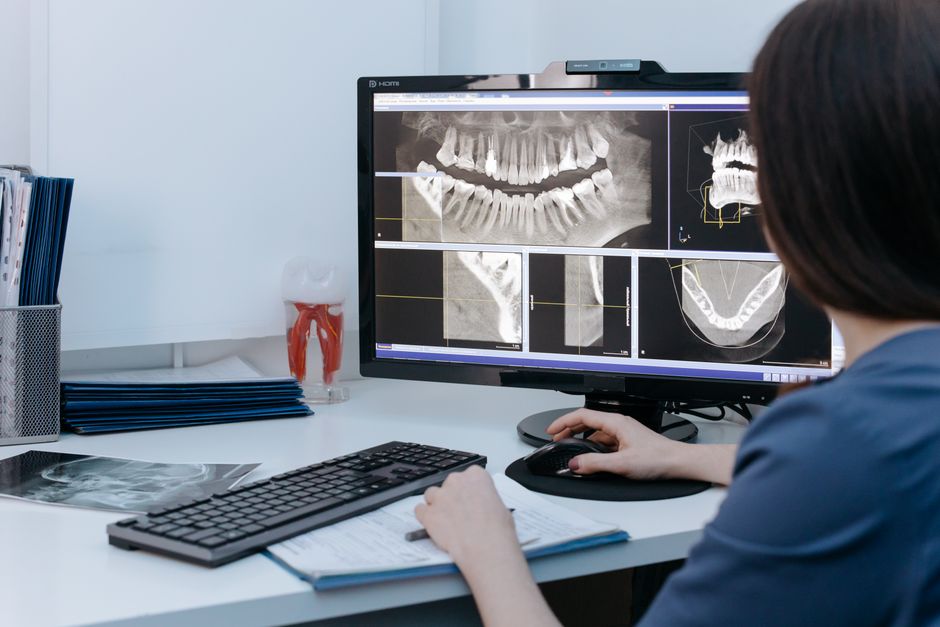
View3D Dental is a cutting-edge software solution designed for dental professionals, specializing in 3D visualization, implantology, and surgery. This innovative tool enables clinicians to enhance patient care by providing accurate and detailed visualizations of dental structures, facilitating more precise diagnoses and treatment planning. With View3D Dental, dental professionals can streamline their workflow, improve communication with patients, and ultimately, achieve better treatment outcomes.
Main Features of View3D Dental
View3D Dental boasts an array of features that set it apart from other dental software solutions. Some of its key features include:
- Advanced 3D visualization capabilities, allowing for precise rendering of dental structures
- Comprehensive implantology planning tools, facilitating accurate placement and reduced surgical complications
- Seamless integration with various imaging modalities, including CBCT and intraoral scanners
Installation Guide
System Requirements
Before installing View3D Dental, ensure your system meets the following requirements:
- Operating System: Windows 10 or macOS High Sierra (or later)
- Processor: Intel Core i5 or AMD equivalent
- Memory: 8 GB RAM (16 GB recommended)
- Graphics: NVIDIA GeForce GTX 1060 or AMD Radeon RX 580
Step-by-Step Installation
Follow these steps to install View3D Dental:
- Download the installation package from the official View3D Dental website
- Run the installer and follow the prompts to select the installation location
- Choose the desired installation type ( typical, custom, or complete)
- Wait for the installation to complete, then launch View3D Dental
Technical Specifications
File Formats and Compatibility
View3D Dental supports a range of file formats, including:
- DICOM (Digital Imaging and Communications in Medicine)
- STL (STereoLithography)
- OBJ (Object File Format)
Data Security and Encryption
View3D Dental prioritizes data security and encryption, ensuring that sensitive patient information remains protected:
- 256-bit AES encryption for data at rest and in transit
- Compliance with HIPAA and GDPR regulations
Pros and Cons
Advantages of View3D Dental
Some of the key benefits of using View3D Dental include:
- Enhanced diagnostic accuracy and treatment planning
- Improved patient communication and education
- Streamlined workflow and increased productivity
Limitations and Potential Drawbacks
While View3D Dental is a powerful tool, some potential limitations and drawbacks to consider:
- Steep learning curve for new users
- Higher cost compared to other dental software solutions
- Occasional software glitches or compatibility issues
FAQ
Frequently Asked Questions
Below are some common questions and answers about View3D Dental:
| Question | Answer |
|---|---|
| What is the cost of View3D Dental? | The cost of View3D Dental varies depending on the specific package and licensing options. Contact the manufacturer for a customized quote. |
| Is View3D Dental compatible with my existing imaging equipment? | View3D Dental is compatible with a range of imaging modalities. Check the manufacturer’s website for a list of supported devices. |
| Can I export patient data from View3D Dental? | Yes, View3D Dental allows for secure export of patient data in various formats, including DICOM and STL. |
Export and Migration Tutorial with Rollback Planning
Step-by-Step Export Guide
Follow these steps to export patient data from View3D Dental:
- Select the desired patient record and click ‘Export’
- Choose the desired file format (DICOM, STL, or OBJ)
- Specify the export location and filename
- Wait for the export to complete
Rollback Planning and Data Recovery
In the event of data loss or corruption, View3D Dental’s rollback feature allows for quick recovery:
- Regularly back up patient data to an external drive or cloud storage
- Use the ‘Rollback’ feature to restore data to a previous version
Conclusion
View3D Dental is a powerful software solution designed to enhance dental care and treatment planning. With its advanced 3D visualization capabilities, comprehensive implantology planning tools, and seamless integration with various imaging modalities, View3D Dental is an invaluable asset for any dental practice. By following the installation guide, understanding the technical specifications, and being aware of the pros and cons, dental professionals can unlock the full potential of View3D Dental and provide better patient care.