What is EpiDent?
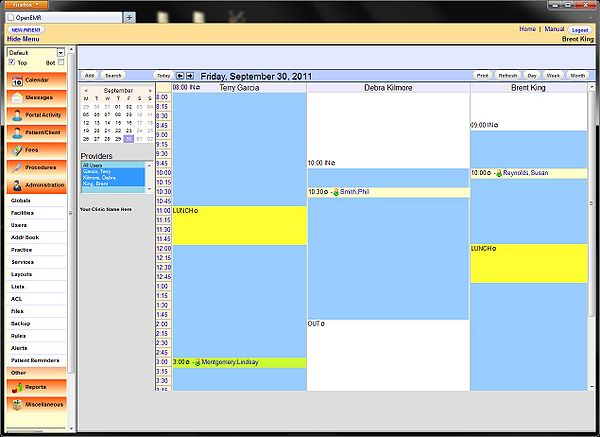
EpiDent is a comprehensive electronic medical records and patient management system designed specifically for dental clinics. It offers a range of features to streamline clinical workflows, enhance patient care, and improve practice management. With EpiDent, dental professionals can efficiently manage patient data, track treatment plans, and analyze clinical outcomes.
Main Features
EpiDent’s core features include electronic health records, appointment scheduling, billing and insurance management, and reporting tools. Additionally, it offers advanced features such as data encryption, restore points, and snapshots to ensure the security and integrity of patient data.
Installation Guide
System Requirements
Before installing EpiDent, ensure your system meets the minimum requirements: Windows 10 or later, 4 GB RAM, 2 GB free disk space, and a 64-bit processor.
Step-by-Step Installation
1. Download the EpiDent installation package from the official website.
2. Run the installer and follow the prompts to select the installation location and language.
3. Activate the software using the provided license key.
4. Configure the database settings and create a new database or connect to an existing one.
Data Protection and Recovery
Data Encryption
EpiDent employs advanced encryption algorithms to protect patient data from unauthorized access. All data is encrypted at rest and in transit, ensuring confidentiality and integrity.
Restore Points and Snapshots
The system creates automatic restore points and snapshots, allowing administrators to quickly recover data in case of a disaster or accidental deletion.
Recovery Tips for Admins
In the event of a disaster, follow these steps to recover your EpiDent project:
- Restore the latest backup or snapshot.
- Verify the integrity of the recovered data.
- Update the software to the latest version.
Comparing EpiDent with Free Dental Tools
Key Differences
While free dental tools may offer basic features, EpiDent provides a comprehensive solution with advanced features, robust security, and dedicated support.
Why Choose EpiDent?
EpiDent offers a user-friendly interface, customizable workflows, and seamless integration with other dental software. Its scalability and flexibility make it an ideal choice for dental clinics of all sizes.
Technical Specifications
System Architecture
| Component | Description |
|---|---|
| Database | Supports MySQL, PostgreSQL, and Microsoft SQL Server. |
| Server | Requires a 64-bit processor and 4 GB RAM. |
| Client | Compatible with Windows, macOS, and Linux. |
Frequently Asked Questions
Q: How do I download EpiDent for free?
A: EpiDent offers a free trial version. Contact our sales team for more information.
Q: Can I recover my EpiDent project if I accidentally delete it?
A: Yes, EpiDent’s restore points and snapshots enable quick recovery of deleted data.
Conclusion
EpiDent is a powerful electronic medical records and patient management system designed to enhance dental care and practice management. Its advanced features, robust security, and dedicated support make it an ideal choice for dental clinics. By following the installation guide, data protection checklist, and recovery tips, admins can ensure a smooth and secure experience with EpiDent.