What is Odoo Dental (Community Module)?
Odoo Dental (Community Module) is a comprehensive electronic medical records and patient management system designed specifically for dental clinics. It is a community-driven module that provides a robust and flexible solution for managing patient data, appointments, and treatments. With Odoo Dental (Community Module), dental clinics can streamline their operations, improve patient care, and reduce administrative burdens.
Main Features
Some of the key features of Odoo Dental (Community Module) include:
- Patient management: Create and manage patient profiles, including medical history, contact information, and appointment schedules.
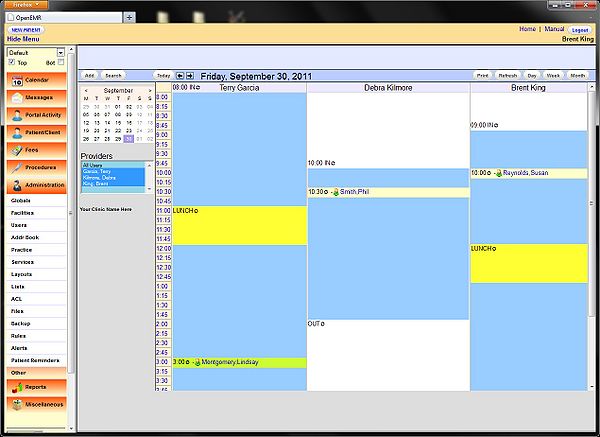
- Appointment scheduling: Schedule appointments, manage waiting lists, and send reminders to patients.
- Treatment planning: Create and manage treatment plans, including diagnoses, procedures, and medication prescriptions.
- Medical records: Store and manage patient medical records, including images, documents, and lab results.
- Reporting and analytics: Generate reports and analytics on patient data, appointment schedules, and treatment outcomes.
Installation Guide
System Requirements
Before installing Odoo Dental (Community Module), ensure that your system meets the following requirements:
- Operating System: Windows, macOS, or Linux
- RAM: 4 GB or more
- Storage: 10 GB or more
- Database: PostgreSQL or MySQL
Installation Steps
Follow these steps to install Odoo Dental (Community Module):
- Download the Odoo Dental (Community Module) package from the official website.
- Extract the package to a directory on your system.
- Install the required dependencies, including PostgreSQL or MySQL.
- Configure the Odoo Dental (Community Module) settings, including the database connection and user authentication.
- Start the Odoo Dental (Community Module) server and access the web interface.
Technical Specifications
Security Features
Odoo Dental (Community Module) includes several security features to protect patient data and ensure compliance with regulatory requirements:
- Data encryption: Patient data is encrypted using AES-256 encryption.
- Access controls: Role-based access controls ensure that only authorized users can access patient data.
- Audit logs: All system activities are logged and audited to ensure transparency and accountability.
Backup and Recovery
Odoo Dental (Community Module) includes a built-in backup and recovery system to ensure business continuity in case of system failures:
- Automated backups: System data is automatically backed up on a scheduled basis.
- Offline repository: A separate offline repository can be configured to store backups and ensure data recovery in case of system failures.
Pros and Cons
Pros
Some of the advantages of using Odoo Dental (Community Module) include:
- Comprehensive features: Odoo Dental (Community Module) includes a wide range of features to manage patient data, appointments, and treatments.
- Customizable: The system can be customized to meet the specific needs of dental clinics.
- Scalable: Odoo Dental (Community Module) can be scaled up or down to meet the growing needs of dental clinics.
Cons
Some of the disadvantages of using Odoo Dental (Community Module) include:
- Complexity: The system can be complex to install and configure, requiring technical expertise.
- Cost: Odoo Dental (Community Module) may require significant investment in hardware, software, and training.
- Support: Community-driven support may not be as responsive as commercial support options.
FAQ
How to Import Files
To import files into Odoo Dental (Community Module), follow these steps:
- Log in to the Odoo Dental (Community Module) web interface.
- Navigate to the