What is OpenEMR?
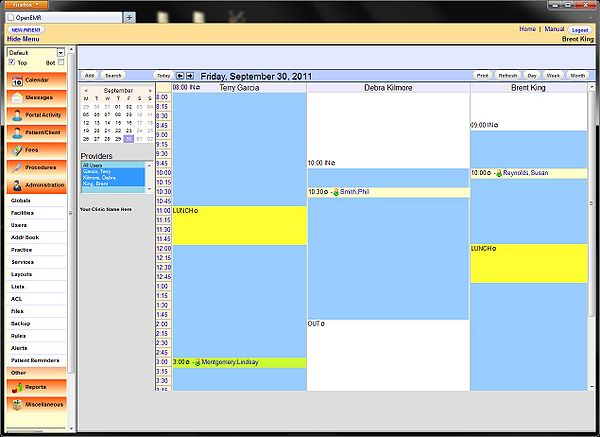
OpenEMR is a popular, open-source dental practice management software designed to streamline clinical, administrative, and financial operations in dental clinics. It offers a comprehensive range of features, including electronic health records (EHRs), billing, and scheduling, making it an ideal solution for dental practices of all sizes.
Main Features of OpenEMR
Some of the key features of OpenEMR include:
- Patient Management: OpenEMR allows you to manage patient information, including demographics, medical history, and treatment plans.
- Clinical Management: The software provides tools for clinical documentation, including progress notes, prescriptions, and lab results.
- Financial Management: OpenEMR offers features for managing billing, insurance claims, and payments.
Installation Guide for OpenEMR
System Requirements
Before installing OpenEMR, ensure that your system meets the following requirements:
- Operating System: Windows, Linux, or macOS
- Database: MySQL or PostgreSQL
- Web Server: Apache or Nginx
Step-by-Step Installation Process
Follow these steps to install OpenEMR:
- Download the OpenEMR installation package from the official website.
- Extract the contents of the package to a directory on your web server.
- Configure the database settings in the OpenEMR configuration file.
- Run the installation script to complete the installation process.
Technical Specifications of OpenEMR
Security Features
OpenEMR includes several security features to protect patient data, including:
- Data Encryption: OpenEMR uses encryption to protect patient data both in transit and at rest.
- Access Control: The software provides role-based access control to ensure that only authorized users can access patient data.
Scalability and Performance
OpenEMR is designed to be scalable and perform well in high-traffic environments. It supports:
- Multi-Server Architecture: OpenEMR can be deployed on multiple servers to distribute the load and improve performance.
- Caching: The software uses caching to improve performance and reduce the load on the database.
Pros and Cons of OpenEMR
Advantages of OpenEMR
Some of the advantages of OpenEMR include:
- Customizable: OpenEMR is highly customizable, allowing you to tailor the software to meet the specific needs of your dental practice.
- Cost-Effective: OpenEMR is free and open-source, making it a cost-effective solution for dental practices.
Disadvantages of OpenEMR
Some of the disadvantages of OpenEMR include:
- Steep Learning Curve: OpenEMR can be complex to learn and use, especially for users without technical expertise.
- Limited Support: As an open-source software, OpenEMR may not have the same level of support as commercial software.
Frequently Asked Questions (FAQs) about OpenEMR
How Do I Download OpenEMR?
You can download OpenEMR from the official website. Simply click on the download link and follow the instructions to complete the download process.
Is OpenEMR Secure?
Yes, OpenEMR is designed to be secure and includes several security features to protect patient data. However, it is still important to follow best practices for securing your dental practice’s data.
Can I Use OpenEMR for My Dental Practice?
Yes, OpenEMR is suitable for dental practices of all sizes. It offers a range of features to help you manage your practice’s clinical, administrative, and financial operations.