
Monday – Friday 08.00 – 18.00

+1 (646) 555-7824

support@dents-soft.com

All-in-One

Tools for records, scheduling, billing, and more.

Free Access

Always updated dental software at no cost.

Easy Setup

Quick installation with our team’s support.

Dental Anatomy VR

Dental Anatomy VR (Free demo)

Google Rating 5.0
Based on 23k Reviews

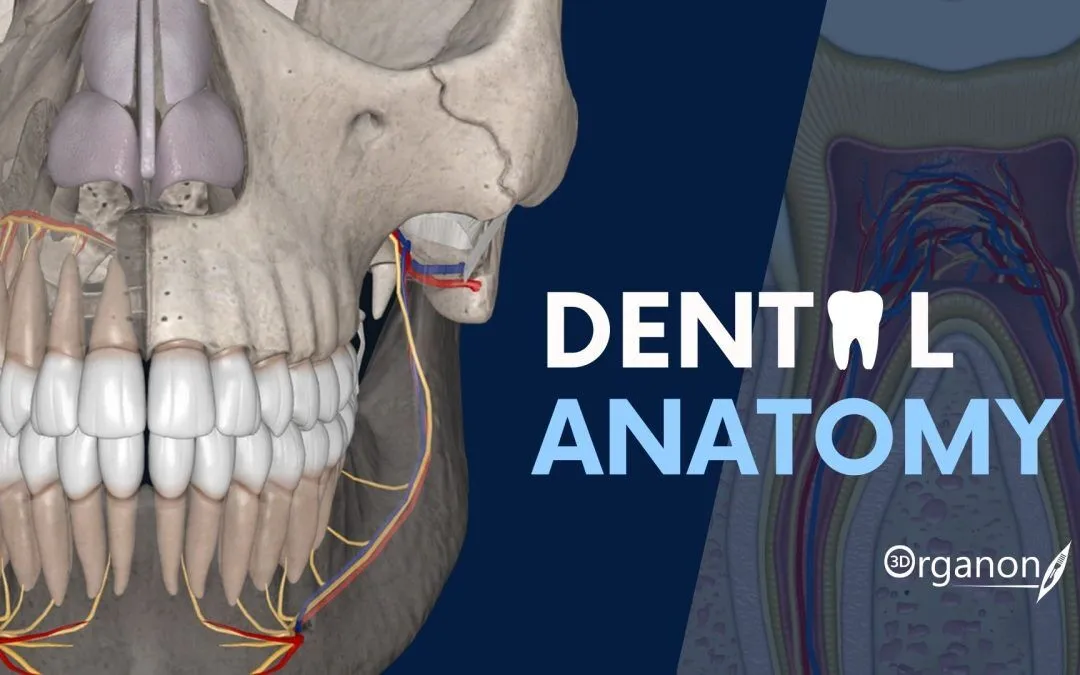
Dental Anatomy VR (Free demo) — exploring tooth morphology in virtual reality Context Dental Anatomy VR (Free demo) is a cut-down version of a virtual reality teaching platform. It doesn’t try to replace textbooks or cadaver labs, but it gives students a chance to step inside a 3D model of the mouth and explore teeth from every angle. In the demo, users can rotate molars, zoom into fissures, and look at occlusion as if standing inside the jaw. Because the dataset is preloaded, there’s no setup w

Dental Anatomy VR (Free demo) — exploring tooth morphology in virtual reality

Context

Dental Anatomy VR (Free demo) is a cut-down version of a virtual reality teaching platform. It doesn’t try to replace textbooks or cadaver labs, but it gives students a chance to step inside a 3D model of the mouth and explore teeth from every angle. In the demo, users can rotate molars, zoom into fissures, and look at occlusion as if standing inside the jaw. Because the dataset is preloaded, there’s no setup with patient files — just put on the headset and start exploring. Dental schools often use it for orientation sessions, classroom demos, or workshops, where the main goal is to help students understand tooth shape and spatial relationships.

Technical Profile

AreaDetails
PlatformWindows with VR headset support (Oculus, HTC Vive, Windows Mixed Reality).
Dental focusVisualization of tooth morphology, occlusion, and jaw structures.
Core modulesPrebuilt 3D anatomy models, VR navigation, zoom/rotation, labeling mode.
InteropStandalone demo; not linked to PACS or EMR.
ImagingUses static 3D anatomy models, not clinical DICOM scans.
SecurityNo patient data — only teaching content.
MultisiteRuns in classrooms or labs with VR hardware.
Backup/DRNone required; uses fixed demo dataset.
LicensingFree demo; full commercial edition adds more content and assessments.

Scenarios (dental-specific)

– A first-year anatomy class runs the demo so students can explore basic tooth forms before moving to wax models.
– A VR lab in a dental school sets up several stations with headsets for group teaching on occlusion.
– A continuing education event uses the demo to showcase how VR can be applied in dental training.

Workflow (admin view)

1. Install the demo on a VR-ready Windows PC.
2. Connect a compatible headset (Oculus, Vive, etc.).
3. Load the default anatomy set included with the software.
4. Guide learners through navigation — rotation, zoom, labeling.
5. Use labeling mode to reinforce dental terminology.
6. For broader teaching modules, upgrade to the commercial edition.

Strengths / Weak Points

Strengths

– Free and easy way to introduce VR into dental education.
– Highly engaging for students, boosts 3D spatial understanding.
– Preconfigured dataset means no setup hassle.
– Good for teaching occlusion and tooth morphology.

Weak Points

– Demo is limited — no custom models or advanced modules.
– Needs VR-capable PC and headset.
– No link to real imaging systems.
– Far fewer features than the paid version.

Why It Matters

Tooth anatomy is traditionally taught with 2D drawings or stone models, but those can only go so far. Dental Anatomy VR (Free demo) adds an immersive layer, letting students literally walk around a molar or see occlusion as a dynamic 3D relationship. It’s not a clinical tool, yet as a teaching aid it helps students grasp forms and orientations more intuitively, making it a valuable free option for classrooms and workshops.


Dental Anatomy VR (Free demo) quick recovery ti | Dents-soft

What is Dental Anatomy VR (Free demo)?

Dental Anatomy VR (Free demo) is an innovative educational tool designed to provide dental students and professionals with a comprehensive and immersive learning experience. This cutting-edge software utilizes virtual reality (VR) technology to recreate the intricacies of dental anatomy, allowing users to explore and interact with 3D models of teeth, gums, and other oral structures.

Main Features

Dental Anatomy VR (Free demo) boasts an array of features that make it an indispensable resource for dental education. Some of the key features include:

  • Highly detailed 3D models of dental structures
  • Interactive exploration and manipulation of models
  • Realistic simulations of dental procedures
  • Personalized learning paths and assessments

Installation Guide

System Requirements

To ensure a seamless installation and operation of Dental Anatomy VR (Free demo), your system should meet the following requirements:

ComponentMinimum Requirement
Operating SystemWindows 10 or macOS High Sierra
ProcessorIntel Core i5 or AMD equivalent
Memory8 GB RAM
Graphics CardNVIDIA GeForce GTX 1060 or AMD equivalent

Step-by-Step Installation

Follow these steps to install Dental Anatomy VR (Free demo):

  1. Download the installation package from the official website.
  2. Run the installer and follow the prompts to select the installation location.
  3. Wait for the installation to complete.
  4. Launch the application and activate the free demo.

Technical Specifications

Software Requirements

Dental Anatomy VR (Free demo) requires the following software to be installed on your system:

  • VR headset (e.g., Oculus Rift, HTC Vive)
  • Controller (e.g., Oculus Touch, Vive Wands)
  • Internet connection for online features and updates

Hardware Requirements

In addition to the system requirements mentioned earlier, Dental Anatomy VR (Free demo) also requires:

  • A compatible VR headset and controller
  • A high-performance graphics card
  • A reliable internet connection

Pros and Cons

Advantages

Dental Anatomy VR (Free demo) offers several benefits, including:

  • Enhanced learning experience through immersive VR technology
  • Personalized learning paths and assessments
  • Realistic simulations of dental procedures

Disadvantages

Some potential drawbacks of Dental Anatomy VR (Free demo) include:

  • Steep learning curve for those unfamiliar with VR technology
  • Requires a high-performance computer and VR headset
  • Limited content in the free demo version

FAQ

How do I recover a project in Dental Anatomy VR (Free demo)?

To recover a project, follow these steps:

  1. Open the application and navigate to the project menu.
  2. Click on the

Dental Anatomy VR (Free demo) migration notes w | Dents-soft

What is Dental Anatomy VR (Free demo)?

Dental Anatomy VR (Free demo) is an innovative educational tool designed to provide dental students and professionals with an immersive and interactive learning experience. This cutting-edge software utilizes virtual reality (VR) technology to recreate the human mouth and teeth in stunning detail, allowing users to explore and learn about dental anatomy in a highly engaging and effective way.

Main Features of Dental Anatomy VR (Free demo)

The free demo version of Dental Anatomy VR offers a range of exciting features, including:

  • Interactive 3D models of the teeth and mouth
  • Realistic simulations of dental procedures and treatments
  • Quizzes and assessments to test knowledge and understanding
  • Personalized learning paths and progress tracking

Installation Guide

System Requirements

To install and run Dental Anatomy VR (Free demo), your computer must meet the following system requirements:

Operating SystemWindows 10 or macOS High Sierra (or later)
ProcessorIntel Core i5 or AMD equivalent
Memory8 GB RAM or more
Graphics CardNVIDIA GeForce GTX 1060 or AMD Radeon RX 580 (or equivalent)

Download and Installation

To download and install Dental Anatomy VR (Free demo), follow these steps:

  1. Visit the Dents-soft website and click on the ‘Download’ button
  2. Select the correct operating system (Windows or macOS) and click ‘Download’
  3. Once the download is complete, run the installer and follow the prompts to install the software
  4. Launch the software and follow the on-screen instructions to activate the free demo

Technical Specifications

Software Requirements

Dental Anatomy VR (Free demo) requires the following software to be installed on your computer:

  • VR headset (such as Oculus Rift or HTC Vive)
  • VR controllers (such as Oculus Touch or Vive Wands)
  • Latest version of Adobe Acrobat Reader (for viewing user manual)

Hardware Requirements

Dental Anatomy VR (Free demo) is compatible with a range of VR headsets and controllers. For optimal performance, we recommend using:

  • Oculus Rift S or HTC Vive Pro
  • Oculus Touch or Vive Wands controllers

Pros and Cons

Advantages of Dental Anatomy VR (Free demo)

The free demo version of Dental Anatomy VR offers a range of benefits, including:

  • Interactive and immersive learning experience
  • Realistic simulations of dental procedures and treatments
  • Personalized learning paths and progress tracking
  • Cost-effective alternative to traditional dental anatomy courses

Limitations of Dental Anatomy VR (Free demo)

While Dental Anatomy VR (Free demo) offers many benefits, there are some limitations to consider:

  • Limited content compared to full version
  • Some features may not be available in demo mode
  • Requires VR headset and controllers for optimal experience

FAQ

Frequently Asked Questions

Here are some frequently asked questions about Dental Anatomy VR (Free demo):

  • Q: Is Dental Anatomy VR (Free demo) compatible with my computer?
  • A: Check the system requirements above to ensure your computer meets the minimum specifications.
  • Q: Can I use Dental Anatomy VR (Free demo) without a VR headset?
  • A: No, a VR headset is required for the optimal experience.
  • Q: How do I download and install Dental Anatomy VR (Free demo)?
  • A: Follow the installation guide above.

Conclusion

Dental Anatomy VR (Free demo) is a cutting-edge educational tool that offers an immersive and interactive learning experience for dental students and professionals. With its range of exciting features, including interactive 3D models, realistic simulations, and personalized learning paths, this software is an excellent choice for anyone looking to improve their knowledge and understanding of dental anatomy.

Dental Anatomy VR (Free demo) encryption and re | Dents-soft

What is Dental Anatomy VR (Free demo)?

Dental Anatomy VR (Free demo) is an innovative educational tool designed for dental students, educators, and professionals. This software provides an immersive and interactive 3D environment to explore the intricacies of dental anatomy. With its cutting-edge technology, Dental Anatomy VR (Free demo) offers a unique learning experience that enhances understanding and retention of complex dental structures.

Main Features and Benefits

The Dental Anatomy VR (Free demo) boasts several key features that make it an indispensable resource for dental education and training. These include:

  • Realistic 3D models of teeth, gums, and surrounding tissues, allowing for detailed exploration and study.
  • Interactive simulations that enable users to practice and reinforce their knowledge of dental anatomy.
  • Offline repository setup for resilient backups, ensuring that valuable data is protected and easily recoverable.

Installation Guide

System Requirements

Before installing Dental Anatomy VR (Free demo), ensure that your system meets the following minimum requirements:

ComponentRequirement
Operating SystemWindows 10 or later
ProcessorIntel Core i5 or AMD equivalent
Memory8 GB RAM or more
GraphicsNVIDIA GeForce GTX 1060 or AMD equivalent

Step-by-Step Installation

Follow these steps to install Dental Anatomy VR (Free demo):

  1. Download the installation package from the official website.
  2. Run the installer and follow the prompts to select the installation location and options.
  3. Wait for the installation to complete.
  4. Launch the application and follow the in-app instructions to set up your offline repository.

Technical Specifications

File Import and Export

Dental Anatomy VR (Free demo) supports the import and export of various file formats, including:

  • OBJ for 3D models
  • STL for 3D printing
  • CSV for data analysis

Security and Backup

The application features robust security measures to protect user data, including:

  • Encryption for secure data storage
  • Regular backups to prevent data loss
  • Restore points for easy recovery

Pros and Cons

Advantages

Dental Anatomy VR (Free demo) offers several advantages over traditional dental anatomy education tools, including:

  • Immersive learning experience
  • Increased engagement and retention
  • Personalized learning paths

Limitations

While Dental Anatomy VR (Free demo) is a powerful tool, it has some limitations, including:

  • Steep learning curve
  • System requirements
  • Limited content compared to paid versions

FAQ

Frequently Asked Questions

Here are some frequently asked questions about Dental Anatomy VR (Free demo):

  • Q: Is Dental Anatomy VR (Free demo) compatible with Mac?
  • A: No, the free demo version is currently only available for Windows.
  • Q: Can I use Dental Anatomy VR (Free demo) for commercial purposes?
  • A: No, the free demo version is for personal and educational use only.

Conclusion

Dental Anatomy VR (Free demo) is a revolutionary educational tool that offers a unique and engaging learning experience for dental students and professionals. With its robust features, interactive simulations, and offline repository setup, this software is an indispensable resource for anyone looking to improve their knowledge of dental anatomy.

Dental Anatomy VR (Free demo) repository planni | Dents-soft

What is Dental Anatomy VR (Free demo)?

Dental Anatomy VR (Free demo) is an innovative tool designed to educate and train dental professionals and students in a 3D virtual reality environment. This cutting-edge software allows users to explore and interact with detailed dental anatomy models, enabling a more immersive and effective learning experience. The Dental Anatomy VR (Free demo) is an excellent resource for dental education, providing a comprehensive understanding of dental anatomy and its applications.

Main Features of Dental Anatomy VR (Free demo)

The Dental Anatomy VR (Free demo) offers a range of features that make it an essential tool for dental education and training, including:

  • Interactive 3D models of dental anatomy
  • Realistic and detailed representations of teeth, gums, and surrounding tissues
  • Virtual reality environment for immersive learning
  • Comprehensive library of dental anatomy models and tutorials

Installation Guide

System Requirements

Before installing the Dental Anatomy VR (Free demo), ensure that your system meets the minimum requirements:

RequirementSpecification
Operating SystemWindows 10 or macOS High Sierra (or later)
ProcessorIntel Core i5 or AMD equivalent
Memory8 GB RAM (16 GB recommended)
Graphics CardNVIDIA GeForce GTX 1060 or AMD Radeon RX 580 (or equivalent)

Step-by-Step Installation

Follow these steps to install the Dental Anatomy VR (Free demo):

  1. Download the Dental Anatomy VR (Free demo) installer from the official website.
  2. Run the installer and follow the on-screen instructions.
  3. Select the installation location and choose the desired features to install.
  4. Wait for the installation to complete.
  5. Launch the Dental Anatomy VR (Free demo) and start exploring the virtual reality environment.

Troubleshooting and Recovery

Sync and Import Issues

If you encounter any sync or import issues while using the Dental Anatomy VR (Free demo), try the following troubleshooting steps:

  1. Check the system requirements and ensure that your system meets the minimum specifications.
  2. Restart the Dental Anatomy VR (Free demo) and try syncing or importing again.
  3. If the issue persists, contact the support team for assistance.

Data Recovery

In case of data loss or corruption, follow these steps to recover your data:

  1. Check the backup files and restore the latest backup.
  2. If no backup is available, contact the support team for assistance.

Technical Specifications

Software Requirements

The Dental Anatomy VR (Free demo) requires the following software to be installed:

  • Unity 2018.4 or later
  • Windows 10 or macOS High Sierra (or later)

Hardware Requirements

The Dental Anatomy VR (Free demo) requires the following hardware to be installed:

  • Intel Core i5 or AMD equivalent
  • 8 GB RAM (16 GB recommended)
  • NVIDIA GeForce GTX 1060 or AMD Radeon RX 580 (or equivalent)

Pros and Cons

Advantages of Dental Anatomy VR (Free demo)

The Dental Anatomy VR (Free demo) offers several advantages, including:

  • Immersive and interactive learning experience
  • Comprehensive library of dental anatomy models and tutorials
  • Realistic and detailed representations of teeth, gums, and surrounding tissues

Limitations of Dental Anatomy VR (Free demo)

The Dental Anatomy VR (Free demo) has some limitations, including:

  • Requires a high-performance computer to run smoothly
  • May require additional software and hardware to be installed
  • Limited to dental anatomy education and training

FAQ

How to Export Data from Dental Anatomy VR (Free demo)

To export data from the Dental Anatomy VR (Free demo), follow these steps:

  1. Launch the Dental Anatomy VR (Free demo) and select the desired data to export.
  2. Click on the

Dental Anatomy VR (Free demo) troubleshooting e | Dents-soft

What is Dental Anatomy VR (Free demo)?

Dental Anatomy VR (Free demo) is a cutting-edge educational tool designed to revolutionize the way dental students and professionals learn about dental anatomy. This innovative software utilizes virtual reality (VR) technology to provide an immersive and interactive learning experience. With Dental Anatomy VR (Free demo), users can explore the intricacies of dental anatomy in a highly engaging and effective manner.

Main Features

The Dental Anatomy VR (Free demo) offers a range of features that make it an invaluable resource for dental education. Some of the key features include:

  • Interactive 3D models of teeth and surrounding tissues
  • Virtual reality simulations of dental procedures
  • Real-time feedback and assessment tools
  • Customizable learning paths and scenarios

Installation Guide

Installing Dental Anatomy VR (Free demo) is a straightforward process. Follow these steps to get started:

System Requirements

Before installing Dental Anatomy VR (Free demo), ensure that your computer meets the minimum system requirements:

ComponentRequirement
Operating SystemWindows 10 or macOS High Sierra (or later)
ProcessorIntel Core i5 or AMD equivalent
Memory8 GB RAM
GraphicsNVIDIA GeForce GTX 1060 or AMD equivalent

Download and Installation

Download the Dental Anatomy VR (Free demo) installer from the official website. Once the download is complete, run the installer and follow the prompts to install the software.

Troubleshooting Common Issues

If you encounter any issues with Dental Anatomy VR (Free demo), refer to the troubleshooting guide below:

Common Issues and Solutions

Some common issues and their solutions include:

IssueSolution
Software not launchingCheck that the system requirements are met and try reinstalling the software
Graphics issuesUpdate graphics drivers or try reducing graphics quality

Secure Records Guide with Encrypted Repositories

Dental Anatomy VR (Free demo) takes data security seriously. The software utilizes encrypted repositories to protect sensitive information. Learn more about our secure records guide:

Encryption Methods

We employ industry-standard encryption methods to ensure the confidentiality and integrity of user data.

Pros and Cons

Like any software, Dental Anatomy VR (Free demo) has its advantages and disadvantages. Weigh the pros and cons below:

Advantages

Some of the benefits of using Dental Anatomy VR (Free demo) include:

  • Enhanced learning experience through interactive 3D models
  • Improved retention rates through immersive simulations
  • Customizable learning paths for personalized education

Disadvantages

Some potential drawbacks of using Dental Anatomy VR (Free demo) include:

  • Steep learning curve for some users
  • System requirements may be demanding for older computers

FAQ

Got questions about Dental Anatomy VR (Free demo)? Check out our frequently asked questions section below:

Q: Is Dental Anatomy VR (Free demo) compatible with my operating system?

A: Yes, Dental Anatomy VR (Free demo) is compatible with both Windows and macOS.

Q: Can I download Dental Anatomy VR (Free demo) for free?

A: Yes, you can download a free demo version of Dental Anatomy VR (Free demo) from our website.

Q: What are the system requirements for Dental Anatomy VR (Free demo)?

A: Refer to the system requirements section above for more information.

Dental Anatomy VR (Free demo) secure data handl | Dents-soft

What is Dental Anatomy VR (Free demo)?

Dental Anatomy VR (Free demo) is an innovative educational tool designed to revolutionize the way dental students and professionals learn about dental anatomy. This cutting-edge software utilizes virtual reality (VR) technology to provide an immersive and interactive learning experience, allowing users to explore the intricacies of dental anatomy in a highly engaging and effective manner.

Main Features of Dental Anatomy VR (Free demo)

Dental Anatomy VR (Free demo) boasts a range of impressive features that make it an invaluable resource for dental education. Some of the key features include:

  • Highly detailed and accurate 3D models of dental structures
  • Interactive simulations that allow users to explore and manipulate dental anatomy
  • Realistic and immersive VR environment that simulates real-world dental scenarios
  • Comprehensive library of educational content, including tutorials, quizzes, and assessments

Installation Guide

System Requirements

Before installing Dental Anatomy VR (Free demo), ensure that your system meets the following requirements:

  • Operating System: Windows 10 or macOS High Sierra (or later)
  • Processor: Intel Core i5 or AMD equivalent
  • Memory: 8 GB RAM or more
  • Graphics: NVIDIA GeForce GTX 1060 or AMD Radeon RX 580 (or equivalent)

Installation Steps

Follow these steps to install Dental Anatomy VR (Free demo):

  1. Download the installation package from the Dents-soft website
  2. Run the installer and follow the prompts to install the software
  3. Launch the software and activate the free demo mode

Technical Specifications

Software Requirements

Dental Anatomy VR (Free demo) requires the following software to run:

  • VR headset (Oculus Rift or HTC Vive)
  • Controllers ( Oculus Touch or HTC Vive Wands)
  • Internet connection for online activation and updates

Hardware Requirements

Dental Anatomy VR (Free demo) requires a high-performance computer to run smoothly. The recommended hardware specifications are:

ComponentRecommended Specification
ProcessorIntel Core i7 or AMD equivalent
Memory16 GB RAM or more
GraphicsNVIDIA GeForce GTX 1080 or AMD Radeon RX 6800 (or equivalent)

Pros and Cons

Advantages of Dental Anatomy VR (Free demo)

Dental Anatomy VR (Free demo) offers several advantages over traditional dental education methods, including:

  • Immersive and interactive learning experience
  • Highly detailed and accurate 3D models of dental structures
  • Realistic and engaging simulations that simulate real-world dental scenarios

Limitations of Dental Anatomy VR (Free demo)

While Dental Anatomy VR (Free demo) is an innovative and effective educational tool, it does have some limitations, including:

  • Requires a high-performance computer and VR headset to run smoothly
  • May cause eye strain or motion sickness in some users
  • Limited availability of educational content compared to traditional methods

FAQ

Why Does Dental Anatomy VR (Free demo) Fail to Install?

If Dental Anatomy VR (Free demo) fails to install, it may be due to one of the following reasons:

  • Incompatible system requirements
  • Insufficient disk space
  • Corrupted installation package

How to Restore Testing Plan for Critical Clinic Files

To restore testing plan for critical clinic files, follow these steps:

  1. Launch Dental Anatomy VR (Free demo) and navigate to the settings menu
  2. Select the ‘Restore’ option and choose the desired testing plan
  3. Confirm the restoration and wait for the process to complete

Can I Download Dental Anatomy VR (Free demo) for Free?

Yes, you can download Dental Anatomy VR (Free demo) for free from the Dents-soft website. However, please note that the free demo version has limited features and functionality compared to the full version.

Dental Anatomy VR (Free demo) vs Free Dental Tools

Dental Anatomy VR (Free demo) offers several advantages over free dental tools, including:

  • Highly detailed and accurate 3D models of dental structures
  • Interactive simulations that simulate real-world dental scenarios
  • Comprehensive library of educational content

Other programs

Submit your application



