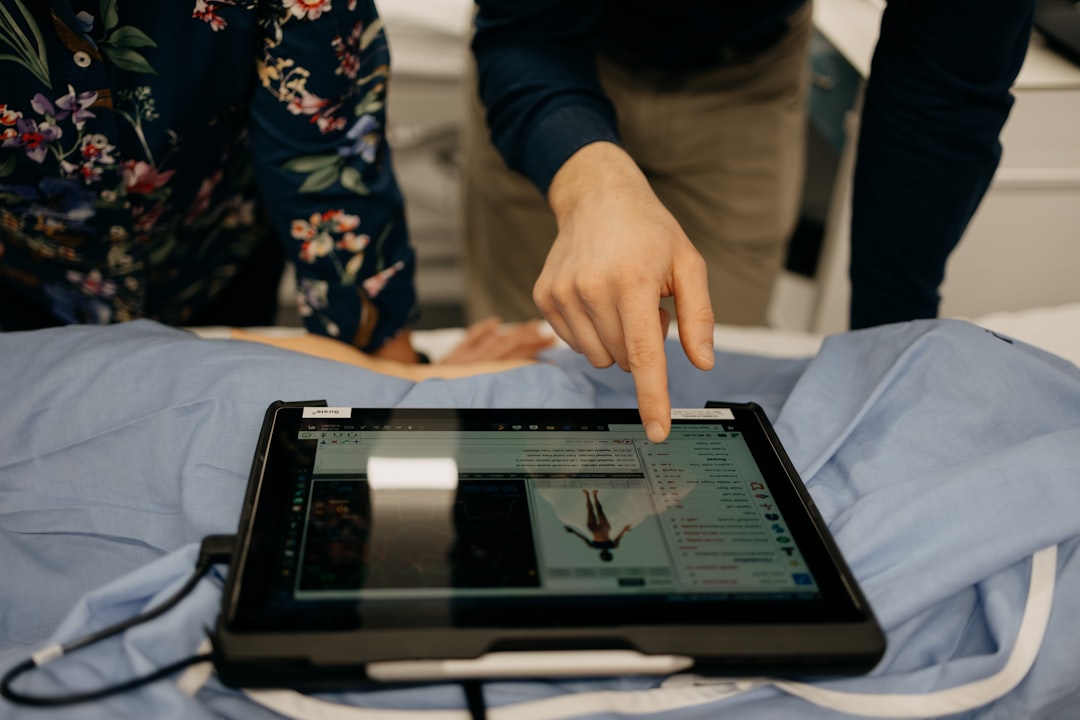
What is Tooth Explorer 3D?
Tooth Explorer 3D is a cutting-edge educational software designed to revolutionize the way dental professionals and students learn about oral anatomy. Developed by Dents-soft, this innovative program utilizes 3D visualization technology to provide an immersive and interactive learning experience. With its user-friendly interface and comprehensive features, Tooth Explorer 3D has become an essential tool for dental education and training.
Main Features and Benefits
Tooth Explorer 3D offers a range of features that make it an ideal choice for dental professionals and students. Some of the key benefits include:
- Interactive 3D models of teeth and surrounding tissues
- Detailed anatomical information and descriptions
- Customizable views and perspectives
- Realistic simulations of dental procedures
These features enable users to gain a deeper understanding of oral anatomy and develop the skills and confidence needed to perform complex dental procedures.
Installation Guide
System Requirements
To install and run Tooth Explorer 3D, your computer must meet the following system requirements:
| Component | Requirement |
|---|---|
| Operating System | Windows 10 or macOS High Sierra (or later) |
| Processor | Intel Core i5 or AMD equivalent |
| Memory | 8 GB RAM (16 GB recommended) |
| Graphics Card | NVIDIA GeForce GTX 1060 or AMD Radeon RX 580 |
Installation Steps
Follow these steps to install Tooth Explorer 3D:
- Download the installation package from the Dents-soft website
- Run the installation file and follow the prompts
- Accept the terms and conditions of the license agreement
- Choose the installation location and click Install
- Wait for the installation to complete
Technical Specifications
Software Features
Tooth Explorer 3D offers a range of software features that enhance the learning experience, including:
- 3D model viewer with zoom, rotate, and pan functionality
- Anatomical information and descriptions
- Customizable views and perspectives
- Realistic simulations of dental procedures
These features are designed to provide a comprehensive and interactive learning experience.
Hardware Requirements
Tooth Explorer 3D requires a computer with a dedicated graphics card and a minimum of 8 GB RAM. The software is compatible with both Windows and macOS operating systems.
Pros and Cons
Advantages
Tooth Explorer 3D offers several advantages, including:
- Interactive and immersive learning experience
- Comprehensive anatomical information and descriptions
- Customizable views and perspectives
- Realistic simulations of dental procedures
These advantages make Tooth Explorer 3D an ideal tool for dental education and training.
Disadvantages
Some of the disadvantages of Tooth Explorer 3D include:
- Steep learning curve for beginners
- Requires a dedicated graphics card and significant system resources
- May not be compatible with older computer systems
Despite these disadvantages, Tooth Explorer 3D remains a popular choice for dental professionals and students.
FAQ
Common Questions
Here are some common questions and answers about Tooth Explorer 3D:
Q: What is the system requirements for Tooth Explorer 3D?
A: Tooth Explorer 3D requires a computer with a dedicated graphics card and a minimum of 8 GB RAM. The software is compatible with both Windows and macOS operating systems.
Q: How do I install Tooth Explorer 3D?
A: Download the installation package from the Dents-soft website and follow the installation prompts.
Q: Can I try Tooth Explorer 3D for free?
A: Yes, a free trial version of Tooth Explorer 3D is available for download from the Dents-soft website.
Q: How does Tooth Explorer 3D compare to alternative software?
A: Tooth Explorer 3D offers a range of features and benefits that make it an ideal choice for dental education and training. However, alternative software may offer similar features and benefits, and it is recommended to compare and evaluate different options before making a decision.
Restore Testing Plan for Critical Clinic Files
Backup and Recovery
To ensure the integrity and security of critical clinic files, it is essential to implement a robust backup and recovery plan. This plan should include regular backups of all files, as well as a system for restoring files in the event of data loss or corruption.
Why Does Tooth Explorer 3D Fail?
Tooth Explorer 3D may fail due to a range of reasons, including:
- Insufficient system resources
- Corrupted or incomplete installation
- Compatibility issues with other software
- Hardware or software failures
In the event of failure, it is essential to have a plan in place for restoring critical clinic files and minimizing downtime.
Download Tooth Explorer 3D Free
Trial Version
A free trial version of Tooth Explorer 3D is available for download from the Dents-soft website. This trial version allows users to experience the features and benefits of the software before purchasing a license.
Licensing Options
Tooth Explorer 3D is available for purchase through a range of licensing options, including:
- Single-user license
- Multi-user license
- Site license
Each licensing option offers a range of benefits and features, and it is recommended to evaluate and compare different options before making a decision.
Tooth Explorer 3D vs Alternatives
Comparison
Tooth Explorer 3D offers a range of features and benefits that make it an ideal choice for dental education and training. However, alternative software may offer similar features and benefits, and it is recommended to compare and evaluate different options before making a decision.
Key Differences
Some of the key differences between Tooth Explorer 3D and alternative software include:
- Interactive 3D models and simulations
- Comprehensive anatomical information and descriptions
- Customizable views and perspectives
- Realistic simulations of dental procedures
These differences make Tooth Explorer 3D a unique and valuable tool for dental education and training.