What is View3D Dental?
View3D Dental is a comprehensive 3D visualization software specifically designed for dental clinics. It provides a wide range of tools and features to aid in implantology and surgery planning. The software enables dental professionals to analyze and manipulate 3D models, facilitating more accurate diagnoses and treatment plans.
Main Features and Benefits
View3D Dental offers several key features that set it apart from other dental software. These include advanced 3D visualization capabilities, precise measurements, and the ability to export data in various formats. Additionally, the software allows for seamless integration with other dental systems, streamlining the workflow and reducing errors.
One of the primary advantages of View3D Dental is its ability to provide versioned exports, restore points, and dedupe capabilities. This ensures that clinic files are safer and more secure, with faster recovery times in case of data loss or corruption.
Installation Guide
System Requirements
Before installing View3D Dental, it is essential to ensure that your system meets the minimum requirements. These include a 64-bit operating system, at least 8 GB of RAM, and a dedicated graphics card. Additionally, a reliable internet connection is necessary for software updates and online support.
Step-by-Step Installation Process
To install View3D Dental, follow these steps:
- Download the software from the official website or a trusted source.
- Run the installation file and follow the prompts to select the installation location and choose the desired components.
- Wait for the installation process to complete, which may take several minutes depending on your system specifications.
- Launch the software and activate your license using the provided key or online activation process.
Troubleshooting Sync and Import Issues
Common Issues and Solutions
When using View3D Dental, you may encounter issues with syncing and importing data. Some common problems include:
- Corrupted or incomplete data imports.
- Failed synchronization with other dental systems.
- Errors during data export or recovery.
To resolve these issues, try the following:
- Check the data source and ensure that it is accurate and complete.
- Verify that the software is properly configured and that all necessary settings are enabled.
- Consult the user manual or online support resources for troubleshooting guides and recovery procedures.
How to Export Data from View3D Dental
Export Options and Formats
View3D Dental allows you to export data in various formats, including DICOM, STL, and CSV. To export data, follow these steps:
- Select the desired data set or model.
- Choose the export format and settings.
- Specify the export location and file name.
- Click the ‘Export’ button to start the process.
Exporting Data for Use in Other Software
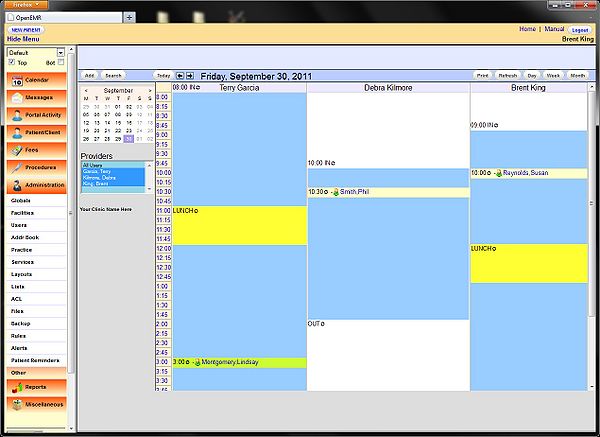
View3D Dental enables seamless integration with other dental software, including OpenEMR. To export data for use in OpenEMR or other systems, follow these steps:
- Select the desired data set or model.
- Choose the export format compatible with the target software.
- Specify the export location and file name.
- Click the ‘Export’ button to start the process.
View3D Dental vs OpenEMR
Comparison of Features and Capabilities
View3D Dental and OpenEMR are two popular dental software solutions. While both offer a range of features and capabilities, there are significant differences between them.
| Feature | View3D Dental | OpenEMR |
|---|---|---|
| 3D Visualization | Advanced 3D visualization capabilities | Limited 3D visualization capabilities |
| Implantology and Surgery Planning | Comprehensive tools and features | Basic tools and features |
| Data Export and Import | Supports various formats, including DICOM and STL | Limited export and import options |
FAQ
Common Questions and Answers
Q: Is View3D Dental compatible with my existing dental software?
A: Yes, View3D Dental is designed to integrate seamlessly with other dental systems, including OpenEMR.
Q: How do I troubleshoot sync and import issues with View3D Dental?
A: Consult the user manual or online support resources for troubleshooting guides and recovery procedures.
Q: Can I download View3D Dental for free?
A: Yes, a free trial version of View3D Dental is available for download. However, a license key is required for full functionality and support.