What is View3D Dental?
View3D Dental is a cutting-edge software program designed specifically for dental professionals, particularly those involved in 3D visualization, implantology, and surgery. This innovative tool is engineered to enhance the precision and accuracy of dental procedures, making it an indispensable asset for clinics and dental practices. With its advanced features and user-friendly interface, View3D Dental aims to revolutionize the way dental professionals approach complex cases and patient care.
Key Features of View3D Dental
Advanced 3D Visualization
View3D Dental boasts advanced 3D visualization capabilities, allowing dental professionals to meticulously examine and analyze patient data. This feature is particularly useful for implantology and surgery, where precise planning and execution are crucial. With View3D Dental, users can manipulate 3D models, measure distances, and simulate procedures, ensuring optimal outcomes.
Streamlined Workflow and Collaboration
The software is designed to streamline workflow and facilitate collaboration among dental professionals. View3D Dental enables seamless sharing of patient data, treatment plans, and progress updates, ensuring that all team members are on the same page. This feature is particularly beneficial for clinics with multiple practitioners or those working with external specialists.
Robust Data Management and Backup
View3D Dental prioritizes data security and integrity, offering a robust backup strategy with dedupe archives and retention. This ensures that critical patient data is safeguarded against loss or corruption, providing peace of mind for dental professionals and their patients. The software also supports encryption, further protecting sensitive information.
Installation Guide for View3D Dental
System Requirements
Before installing View3D Dental, ensure that your system meets the minimum requirements. These include a 64-bit operating system, 8 GB of RAM, and a dedicated graphics card. It is also recommended to have a high-speed internet connection for seamless software updates and data synchronization.
Download and Installation
Download the View3D Dental installer from the official website or through a licensed distributor. Follow the on-screen instructions to complete the installation process, which typically takes around 10-15 minutes. Once installed, launch the software and activate your license to start using View3D Dental.
Technical Specifications of View3D Dental
Hardware and Software Requirements
| Requirement | Specification |
|---|---|
| Operating System | 64-bit Windows 10 or macOS High Sierra (or later) |
| Processor | Quad-core Intel Core i5 or AMD equivalent |
| Memory | 8 GB RAM (16 GB or more recommended) |
| Graphics Card | Dedicated NVIDIA or AMD graphics card (2 GB or more VRAM) |
Pros and Cons of View3D Dental
Advantages
- Advanced 3D visualization capabilities for precise planning and execution
- Streamlined workflow and collaboration features for efficient teamwork
- Robust data management and backup strategy for data security and integrity
- User-friendly interface for easy navigation and minimal learning curve
Disadvantages
- Steep learning curve for advanced features and customization options
- Requires significant system resources, potentially impacting performance on lower-end hardware
- Cost may be prohibitive for smaller clinics or solo practitioners
Frequently Asked Questions about View3D Dental
Is View3D Dental compatible with my existing software and hardware?
View3D Dental is designed to be compatible with a wide range of software and hardware configurations. However, it is recommended to check the system requirements and compatibility list on the official website to ensure seamless integration.
Can I download View3D Dental for free?
View3D Dental offers a free trial version, allowing users to experience the software’s features and capabilities. However, the full version requires a license purchase, which can be obtained through the official website or authorized distributors.
How does View3D Dental compare to OpenEMR?
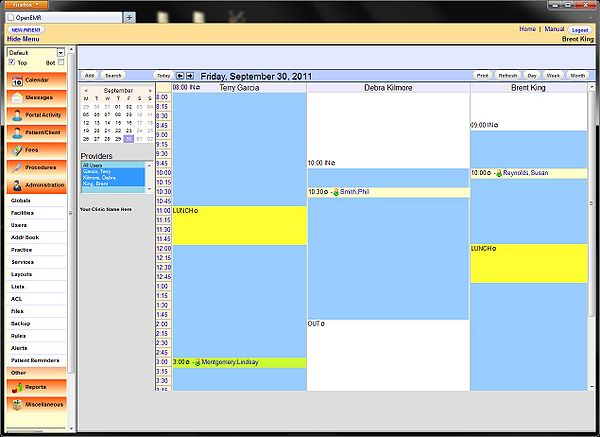
View3D Dental and OpenEMR are both designed for dental professionals, but they cater to different needs and workflows. View3D Dental focuses on 3D visualization, implantology, and surgery, while OpenEMR is a comprehensive electronic medical record (EMR) system. The choice between the two ultimately depends on your specific practice needs and requirements.